
Transformers.js makes it possible to run a decision-first model directly inside a browser tab. The model weights are fetched, the runtime is initialized in WebAssembly or WebGPU, and a short input produces a structured decision and a confidence score without a round-trip to a server. That client-side path is attractive for privacy, offline use, and low-latency interaction. It also introduces constraints that do not exist on a local Python process or a dedicated API server.
Memory is shared with the page and with other tabs. First-load cost includes network transfer and runtime compilation. Inference speed depends on the device’s CPU or GPU access through the browser. Mobile browsers add stricter memory limits and more aggressive tab discarding. A model that feels responsive on a high-end laptop can become unusable once those realities appear.
This post describes the practical approach used on The Decision Bench for running a decision model such as Laya with Transformers.js. It does not report specific load times or memory figures from any single device. Those numbers are conditional on hardware, browser, network, and model configuration, and must be measured under the target conditions.
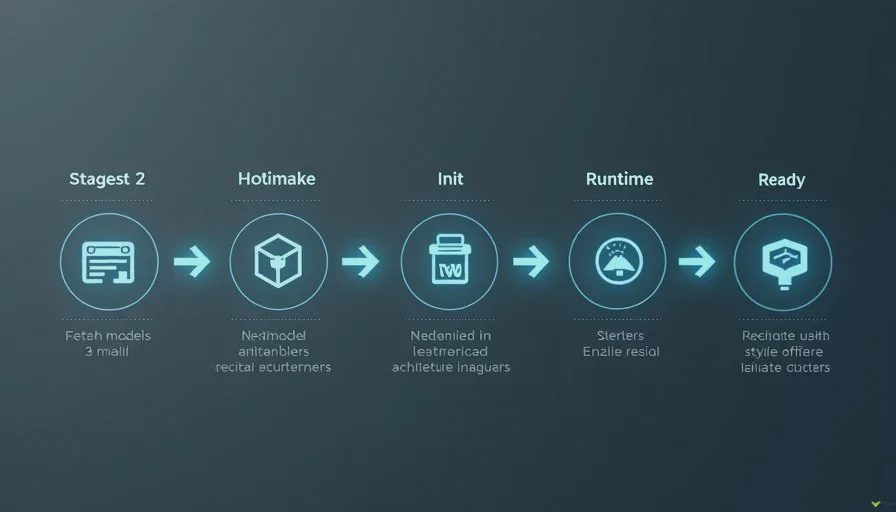
Why Transformers.js Fits Decision-First Models
Decision-first models emit a compact structured result rather than a long token sequence. That property maps well onto a browser environment. There is no autoregressive loop that grows with output length, so the compute cost per decision stays relatively stable. The output can be read directly as a label and a score, which simplifies both the application logic and the logging.
Transformers.js provides pipelines and model classes that can load compatible models and return tensors or decoded results in the browser. For a classification-style decision model the typical path is to tokenize the input, run the forward pass, and apply a softmax or equivalent to obtain class scores. The top label and its score become the decision that the rest of the page consumes.
The advantage is that the decision never leaves the device. The corresponding responsibility is that every cost—download size, initialization time, peak memory, and per-inference latency—must be acceptable on the devices the product actually targets.
Model Loading and Readiness
Loading is the first measurement point.
The process usually includes fetching the model files (or a quantized variant), initializing the ONNX or WASM backend, and preparing the tokenizer. I treat the moment the application requests the model as the start of the load interval and the moment the library reports that inference can begin as the end. Cold loads (empty cache) are recorded separately from warm loads that benefit from browser caching and already-compiled artifacts.
Progress and error states are surfaced to the user and written into the log. A silent failure that leaves the page in a half-initialized state is harder to debug than an explicit error that records the stage at which loading stopped. Model version or revision identifiers are stored at load time so that later decision logs can be joined to the exact weights that produced them.
I also note whether WebGPU, WASM, or another backend was selected. Backend choice affects both speed and memory footprint, and it can change between browsers or between browser versions. The selected backend is therefore part of the experimental condition for every measurement series.

Producing and Logging the Structured Decision
Once the model is ready, each inference follows the same contract used elsewhere on this site.
The exact input string is recorded. The model returns class scores; the top label and its confidence are extracted and stored. Secondary scores are kept when they are available, because the margin between the first and second choice is often useful for thresholding. Wall-clock latency is measured from the call that starts inference until the structured result is available to application code.
The log entry for a browser inference includes:
Model identifier and revision
Backend (WebGPU, WASM, etc.)
Browser and device class
Exact input
Primary label and confidence
Secondary scores when present
Latency for that inference
Whether the run was cold or warm relative to model load
Keeping per-inference records makes it possible to isolate inputs that produced unexpected scores or latency spikes. Aggregate statistics are computed afterward; they do not replace the raw log.
Memory Behavior in a Real Tab
Browser memory is harder to measure precisely than process memory on a server. The JavaScript heap can be sampled, and browser task managers show tab-level figures. Native memory used by WASM or WebGPU is only partially visible from inside the page.
The practical approach is to take consistent snapshots: before model load, after load, after a series of inferences, and after any explicit disposal the library supports. The differences give a usable picture of the incremental cost of the decision model under the tested backend.
On mobile devices the same snapshots are more critical. Tabs that grow too large are discarded more readily, and users notice when a page becomes sluggish or reloads. A desktop measurement that looks comfortable can still be unacceptable on the phones that matter to the product. I therefore treat mobile browser runs as a separate condition rather than as an afterthought.
Common Friction Points
Several issues appear repeatedly with Transformers.js decision models in the browser.
Model size directly affects first-load time and peak memory. Quantized variants reduce both, but quantization can move confidence scores and must be validated against the original decisions on a golden set.
Tokenizer and preprocessing must match the original model. Small differences in truncation, special tokens, or normalization produce different scores and sometimes different top labels.
Backend fallback can be silent. A page that expected WebGPU may fall back to WASM without an obvious warning, changing both latency and memory. Explicit checks and log entries prevent that surprise.
Long-lived tabs can accumulate memory if model sessions or intermediate tensors are not released. Explicit disposal, when the library supports it, is part of the cleanup path.
None of these problems is unique to Laya, but they are easier to detect when the output is a structured decision that can be compared field-by-field with a known reference implementation.
What Browser Deployment Does Not Guarantee
Successfully running a decision model with Transformers.js and obtaining the expected label and score on golden inputs does not guarantee that the experience will be acceptable under production traffic or on the full range of target devices. Load time, memory pressure, and latency tails must still be measured on representative hardware.
Calibration and accuracy also need re-checking after any quantization or backend change. A model that was well calibrated in a Python environment can become over-confident or under-confident once the numerical path changes.
Finally, client-side execution does not remove the need for failure handling. Network errors during model download, initialization failures, and out-of-memory conditions must be surfaced clearly and logged so that the decision path can degrade gracefully.
How This Fits the Rest of the Site
Deploy Notes posts document the concrete runtimes a decision model can use. Bench Tests supply the methods for measuring load time, inference latency, memory, and calibration that are reapplied inside the browser. Field Tests check whether the same decisions remain useful when the model runs entirely on the client inside a real workflow. Failure Log entries capture the cases where browser constraints caused a decision to be skipped, delayed, or returned with an unexpected score.
The governing rule stays the same. Show the input. Show the decision. Show the score. Show the timing and the browser conditions. When those elements remain visible, running Laya with Transformers.js becomes a measured deployment option rather than an untested demo feature.

No comments yet — be the first to share a thought.